Last Updated: June 4, 2026
In this article:
- Overview
- Requirements
- Nudge 1-on-1 Participants
- Bulk Nudge 1-on-1 Participants
- Nudge Email Notification
Overview
As a 1-on-1 user, you can nudge your 1-on-1 partner as a reminder to share or finalize their portion of the 1-on-1. When a 1-on-1 participant receives a nudge, they are sent an in-app bell alert and an email notification.
This article is intended for non-admin users, as an admin user, learn how to bulk-nudge 1-on-1 participants.
Requirements
- Available to 1-on-1 participants
- Available to full admin users
Nudge 1-on-1 Participants
To nudge your 1-on-1 partner:
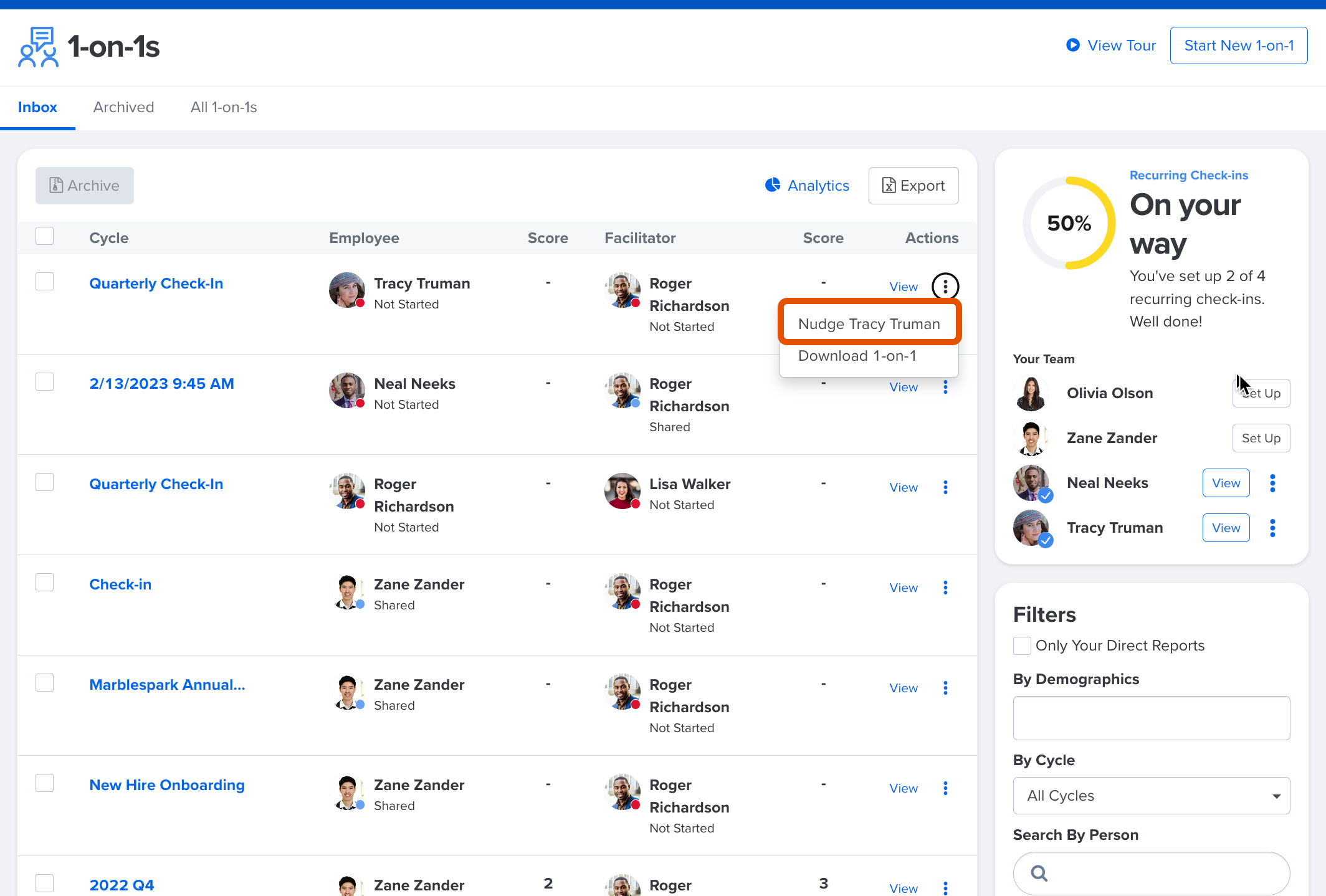
- Navigate to the 1-on-1s home page
- Click the ⋮ icon for the corresponding 1-on-1
- Click Nudge [Employee Name] from the drop-down
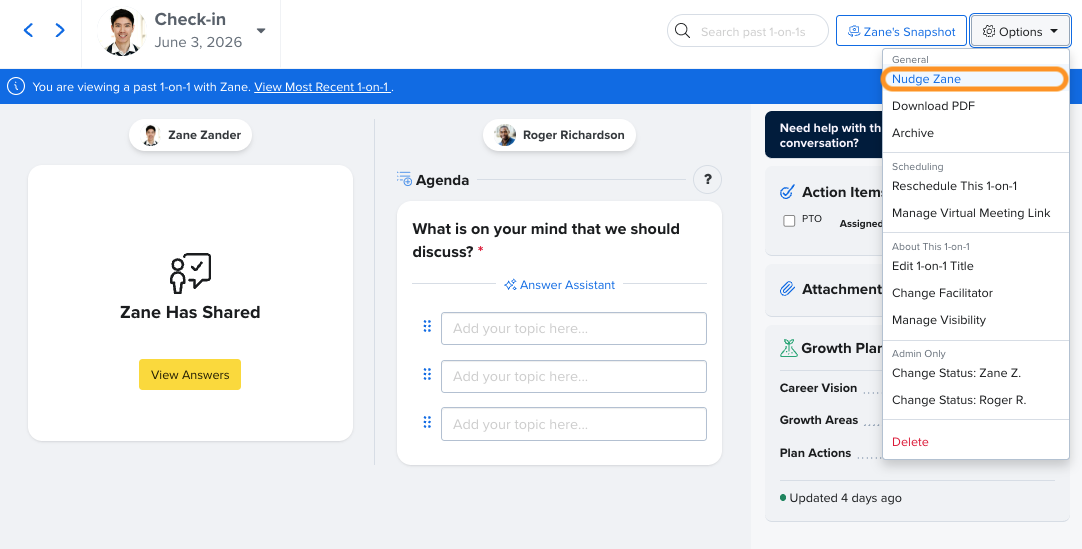
Alternatively, nudge the your 1-on-1 partner within the individual 1-on-1 itself:
- Open the specific 1-on-1 occurrence
- Click Options in the top right corner
- Click Nudge [Zane]
Bulk-Nudge 1-on-1 Participants
Bulk nudges are available to nudge all participants who have yet to start, share, or finalize their 1-on-1s.
When a 1-on-1 participant receives a nudge, they are sent an in-app bell alert and an email notification.
To bulk nudge 1-on-1 participants:
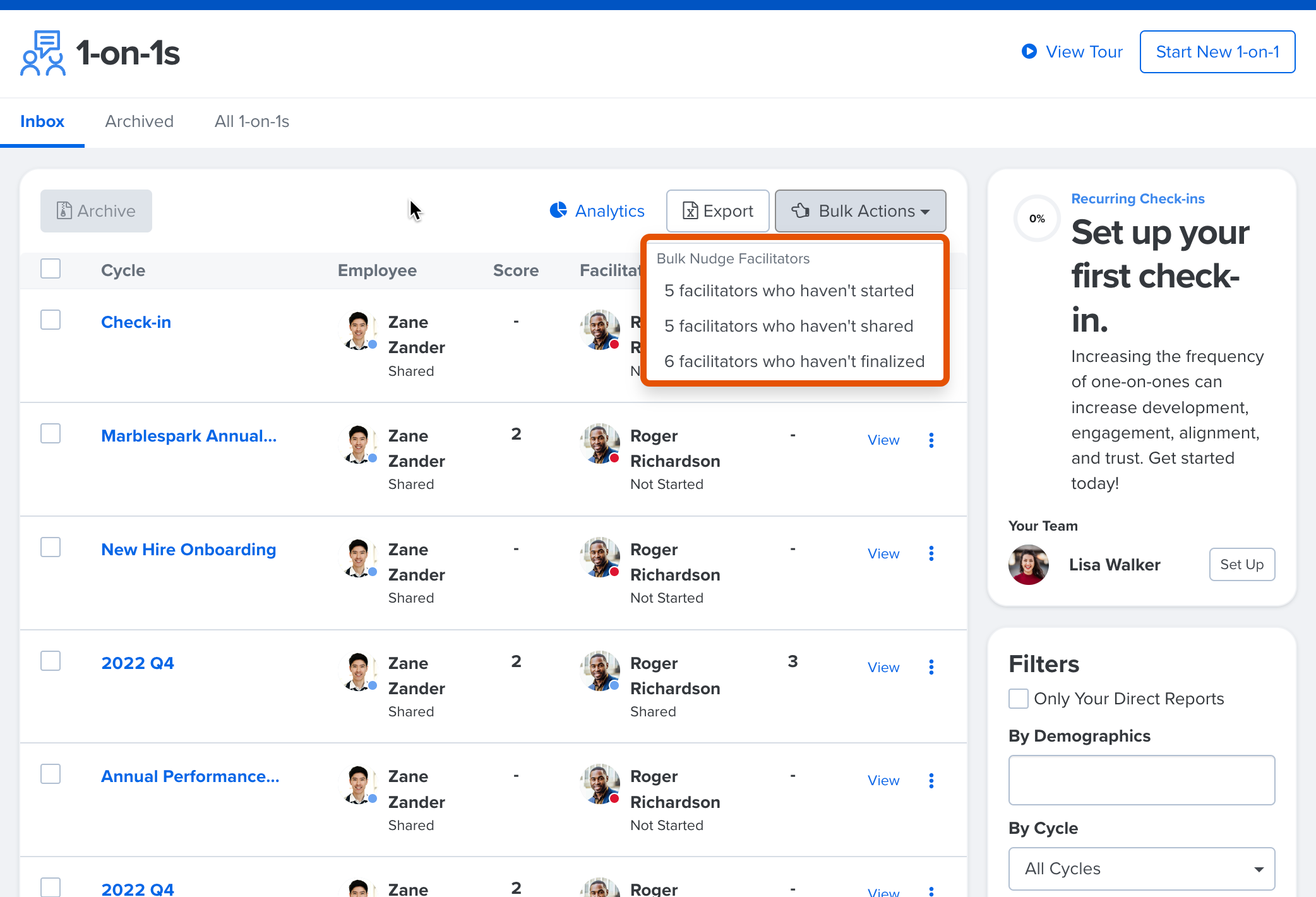
- Navigate to the 1-on-1s home page
- Click and expand the Bulk Actions drop-down
- Select the appropriate bulk nudge option
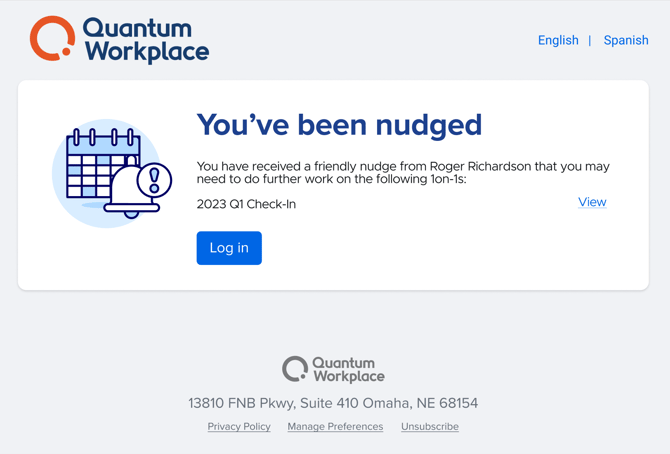
Nudge Email Example
The following is a visual example of a default survey invitation email: