
Last Updated: October 15, 2026
In this article:
- Overview
- Select Languages for Growth
- Import Competency Translations
- Import Job Description Translations
- View Translation History
- How Employees Experience Translations
Overview
Administrators can import translations for competencies and job descriptions, allowing employees to view this content in their preferred language throughout Growth, Job Explorer, and competency-based Performance Reviews.
Translations must be provided by your organization and can be uploaded in bulk using a translation template.
Select Languages for Growth
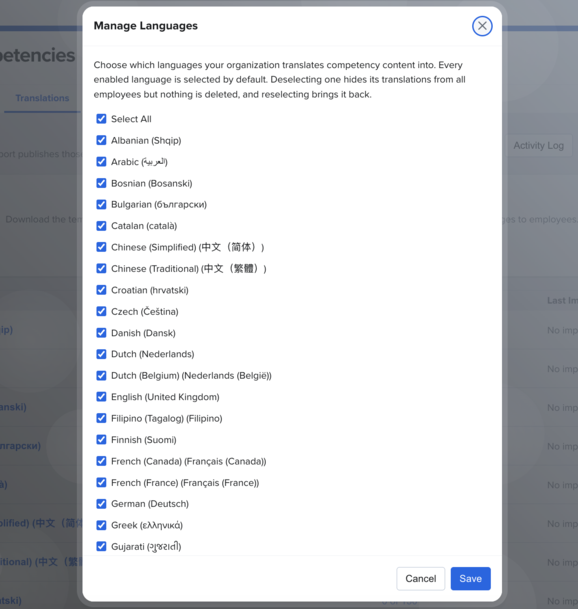
Before importing translations, select the languages your organization wants to support in Growth.
%20Home%20_%20Quantum%20Workplace%202026-10-15%2013-34-38-gif.gif?width=1776&height=1080&name=(5)%20Home%20_%20Quantum%20Workplace%202026-10-15%2013-34-38-gif.gif)
- Click Global Settings in the left navigation.
- Click Competencies, then select the Translations tab.
- Click the Bulk Actions drop down and choose Manage Translations.
- Select the languages you want to make available in Growth from your organization's available languages.
- Every enabled language is selected by default. Deselecting one hides its translations from all employees but nothing is deleted, and reselecting brings it back.
- Save your selections.
The selected languages will appear in your translation management view.
Import Competency Translations
To import translations for competencies:
%20Home%20_%20Quantum%20Workplace%202026-10-15%2013-32-24-gif.gif?width=670&height=407&name=(5)%20Home%20_%20Quantum%20Workplace%202026-10-15%2013-32-24-gif.gif)
- Click Global Settings in the left navigation.
- Click Competencies, then select the Translations tab.
- Download the translation template using the button at the top of the page or the Bulk Actions menu.
- Open the template and enter your translated competency content for each enabled language.
- Enter competency theme translations in the designated master theme tab.
- Save the completed file.
- Return to Quantum Workplace and upload your translation file.
- Review the import summary, including translated content and any blank fields.
- Complete the import.
Important: Translations are published immediately upon import. Review your translation file carefully before completing the import.
Import Job Description Translations
Job description translations follow the same general process as competency translations.
- Click Growth in the left navigation.
- Select Administration.
- Click the Job Profiles Translations tab.
- Download the translation template.
- Enter your translated content for the applicable languages.
- Upload the completed file.
- Review the import summary and complete the import.
Translated job description competency content can then appear in Job Explorer based on each employee's preferred language.
After importing translations, you can review the translated content directly in Quantum Workplace.
View Translation History
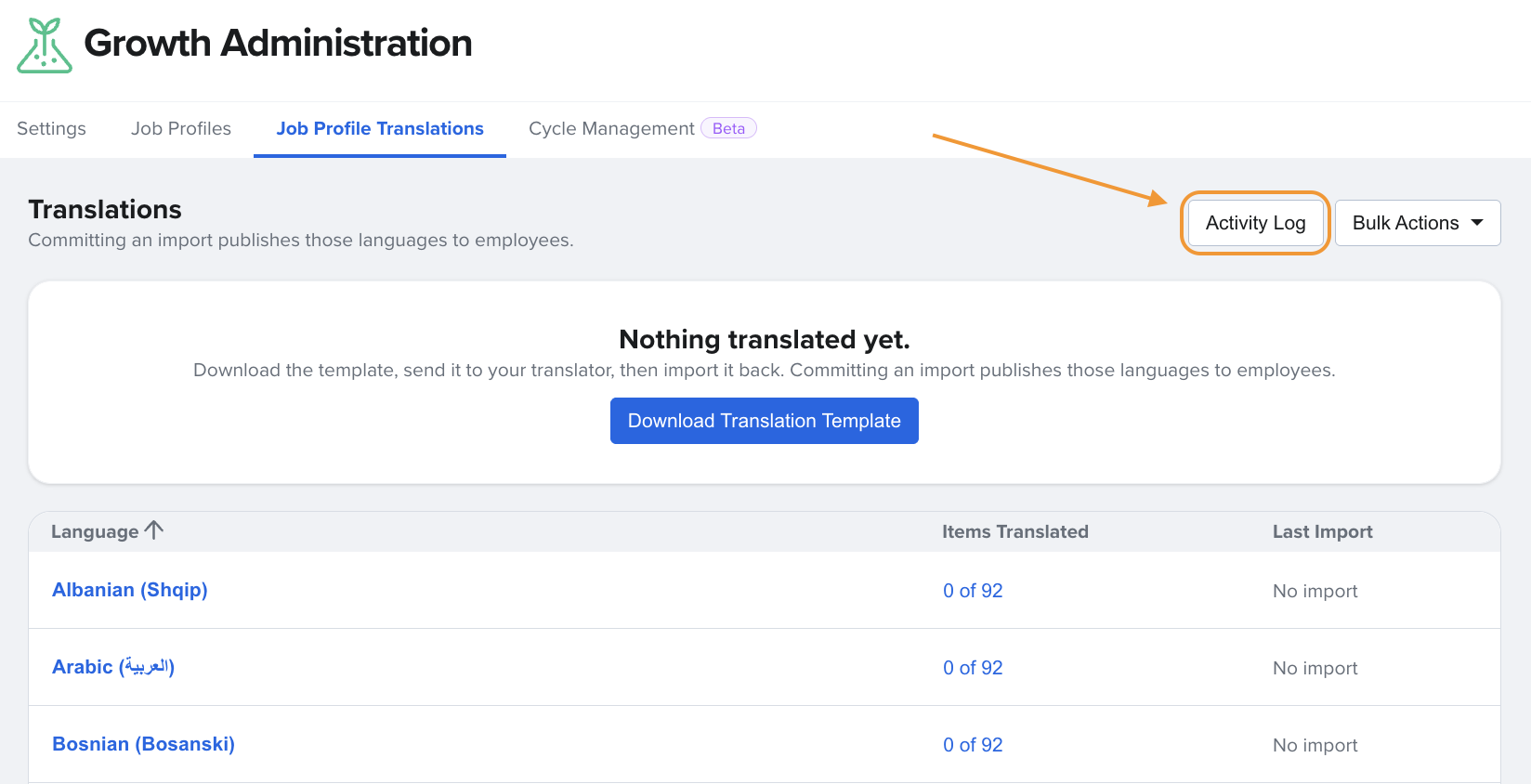
The translation activity log provides a record of changes made to translations.
You can review who made changes and access the associated import file for up to six months.
How Employees Experience Translations
Employees can view supported Growth content in their preferred language, including:
- Competencies in Growth and Job Explorer
- Imported job description competency content
- Competencies used in Performance Reviews
- Static text and navigation throughout the Growth experience
Note: AI-generated content, including the Career Vision Assessment's Now, Next, Later summary, remains available in English only.