In this article:
Note: As Assembly features are being incorporated into Quantum Workplace, some users may see a slightly different experience than what is described in this article. The content below reflects the Quantum Workplace Rewards & Recognition platform experience.
Overview
By giving recognition directly in Slack, you can quickly highlight a teammate’s contribution in seconds. Assembly by Quantum Workplace allows for a seamless integration within your existing Slack workflow.
How to Give Recognition in Slack
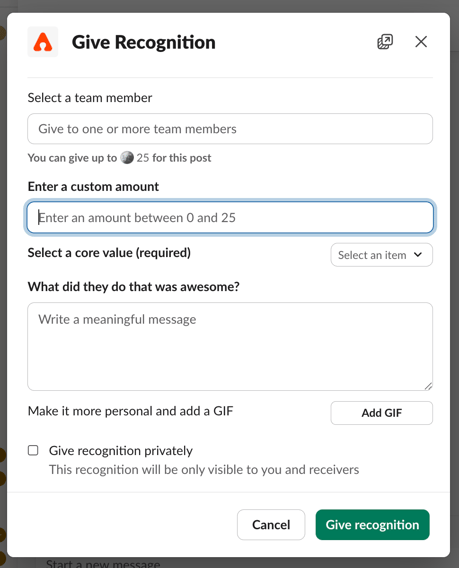
- Enter /give-recognition in the text field in Slack
- Tag the coworker that you'd like to recognize
- Click send or hit enter
- Add awards, core values, and add a custom message or a GIF to personalize the recognition
- Click 'Give recognition' to post directly in Slack and in the Assembly by Quantum Workplace feed.