
Last Updated: June 22, 2026
In this article:
Overview
At Assembly by Quantum Workplace, we are committed to maintaining a positive, professional, and inclusive environment for your team. To help support a healthy workplace culture, Assembly includes a built-in profanity filter for all user interactions.
Let's break down how the profanity filter works, and how it can be customized for your organization.
How the Filter Works
Whenever a user attempts to share content on the platform, Assembly automatically scans the text to ensure the message is clean. This real-time filter applies to:
- Recognitions
- Comments
- Any other platform posts or messages
If profanity is detected: The system will instantly stop the user from posting the message. The content will not be published, and the user will be prompted to revise their text to remove the flagged words before they can successfully submit it.
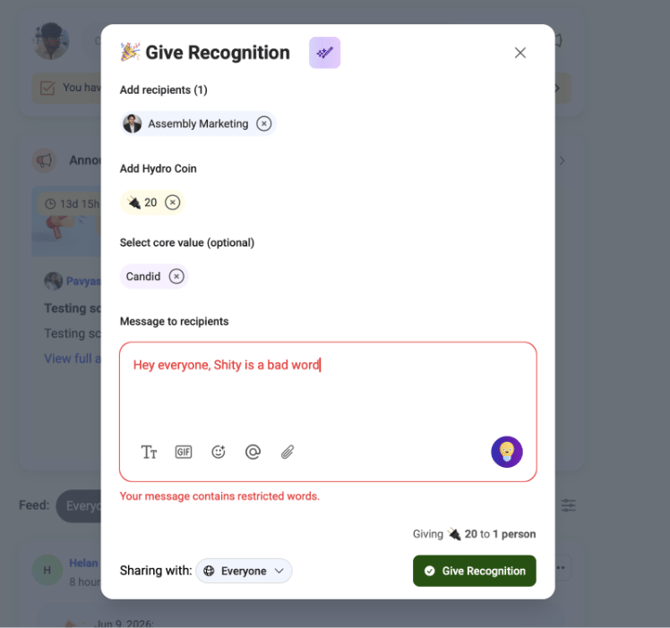
An example of the notification a user receives when attempting to post a message containing profanity.
Customizing Your Profanity List
We understand that every organization has its own unique communication standards. While Assembly comes with a comprehensive default list of filtered words, you have the flexibility to block additional terms specific to your company's guidelines.
Need to add words to the blocked list?
Simply reach out to your Customer Success Manager (CSM). Provide them with the specific words or phrases you would like filtered, and they will promptly update your organization's custom profanity list.