
Last Updated: August 7, 2026
In this article:
- Overview
- Understanding the Differences
- Why Your Scores Might Not Match
- Where to Find Each Report
- FAQs
Overview
If your organization participates in both an Engagement Survey and Best Places to Work (BPTW), you'll use two separate reporting experiences rather than two views of the same report.
Engagement Surveys are built for ongoing, internal engagement tracking, while BPTW is a benchmarking program that compares you against other organizations. Both measure similar things, like favorability and engagement drivers, but they calculate and present scores differently.
Let’s dive into what each reporting suite includes and why a BPTW score and an Engagement Survey score for the same time period may not line up exactly.
Understanding the Differences
Here's how the two systems compare side by side:
|
|
Engagement Survey |
Best Places to Work (BPTW) |
|
Purpose |
Ongoing internal engagement tracking |
Best Places to Work Award & industry benchmarking |
|
Where it lives |
Surveys & Pulses → Analytics |
Best Places to Work portal |
|
Core score |
Favorability % (Agree + Strongly Agree responses) |
BPTW Score: average of all responses, converted to a 0–100 scale |
|
Key reports |
Overview & Team, Questions, Categories, Heat Map, Comments, Response Rate |
Profiles, Items, Summary, Categories, Comments, Culture Cloud, Presentation Builder |
|
Benchmarks |
Previous survey, a selected benchmark, or org-wide average |
Company size, industry, and region |
Why Your Scores Might Not Match
It's common to see your Engagement Survey favorability and your BPTW score sitting at different numbers, even when the underlying questions feel similar.
Here are a few reasons why:
Different metrics: Engagement favorability counts only Agree and Strongly Agree responses. The BPTW Score averages all responses (including neutral and unfavorable) and converts that average to a 0–100 scale.
Different systems: BPTW is a separate product with its own survey, data, and reporting. Results don't automatically sync with your Quantum Workplace Engagement Surveys.
Where to Find Each Report
Engagement Surveys
To locate Surveys:
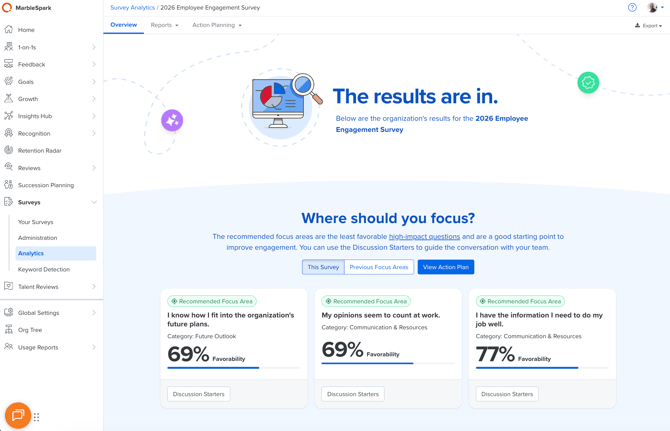
- Click Surveys in the left-hand navigation
- Select Analytics from the dropdown menu
- Choose a specific survey to view the Overview & Team Report, plus detailed analytics
Best Places to Work
To locate BPTW reporting:
- Click Surveys in the left-hand-navigation
- Click Your Surveys
- Select your Employee Opinion Survey
- View the analytics
-png.png?width=670&height=332&name=Screenshot%202026-08-05%20at%2012-07-06%E2%80%AFPM%20(1)-png.png)
BPTW reporting lives in a separate portal. In some cases, such as when your organization was nominated through a business journal partner, your BPTW login credentials may differ from your Quantum Workplace login.
Once logged in, you'll find the Profiles, Items, Summary, Categories, Comments, Culture Cloud, and Presentation Builder reports.
Frequently Asked Questions
Which report should I use for action planning?
Engagement Survey reporting is best-suited for action planning due to the comprehensive data and company-wide perspective. It is not recommended to utilize BPTW reporting for action planning purposes.
Why don’t my scores match even though many questions are the same?
Because the scoring formulas and comparison groups differ (see “Why Your Scores Might Not Match” above). Small differences in question wording between the two surveys can also affect trending. Since Best Places to Work participation is based on location, the number of participants may differ from your Engagement Survey. Engagement Surveys are company-wide and include everyone your organization invited to participate, while Best Places to Work includes only employees in eligible locations.
Why does my benefit score show as zero?
Because Quantum Workplace transferred your survey data, no benefit features were submitted during the nomination process. This does not impact your overall Best Places to Work score or contest eligibility.
Benefits questions are only collected and scored as part of the Inc. Magazine application. For regional contests, that portion of the setup is skipped for Quantum Workplace customers, so a Benefit Score of 0 simply means that no benefits data was collected. This has no effect on your regional contest score.
Interested in learning more about Best Places to Work? Contact our support team here to get involved.